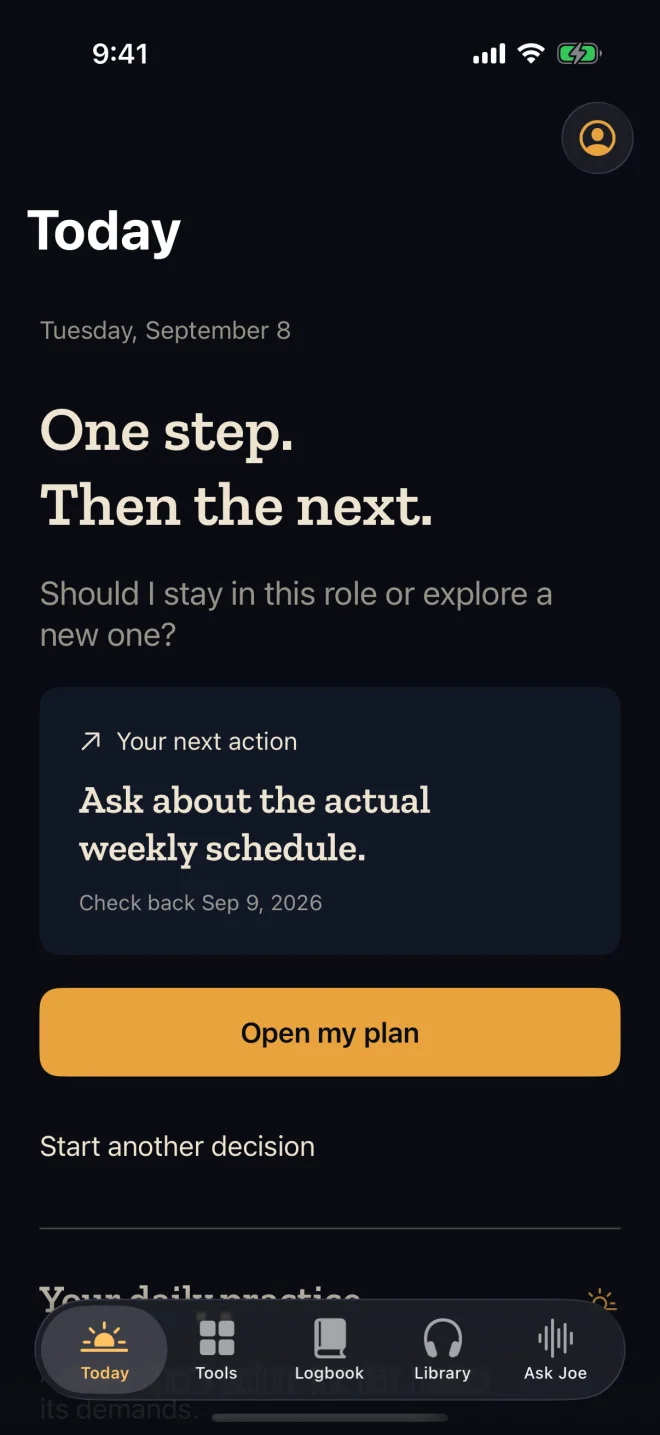
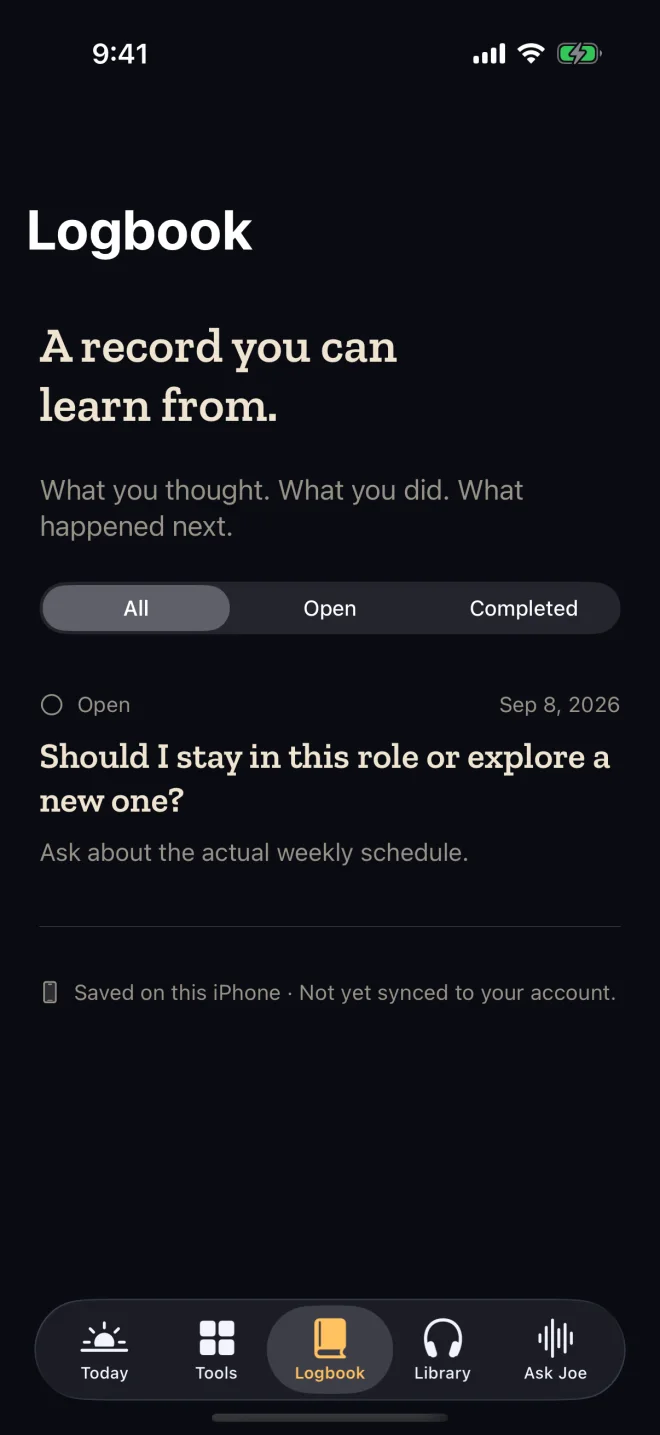
Start where you are.
A job change. A difficult conversation. Too many possibilities. Choose the area, tap what fits, and give the decision a place to land.
Guided choices · Voice input optional
Choose what needs attentionThe job. The conversation. The change you keep putting off. Up2U Copilot gives it a simple process: name what’s in the way, choose one next step, and come back to what you learn.
Start with a tap. No account needed for this example.
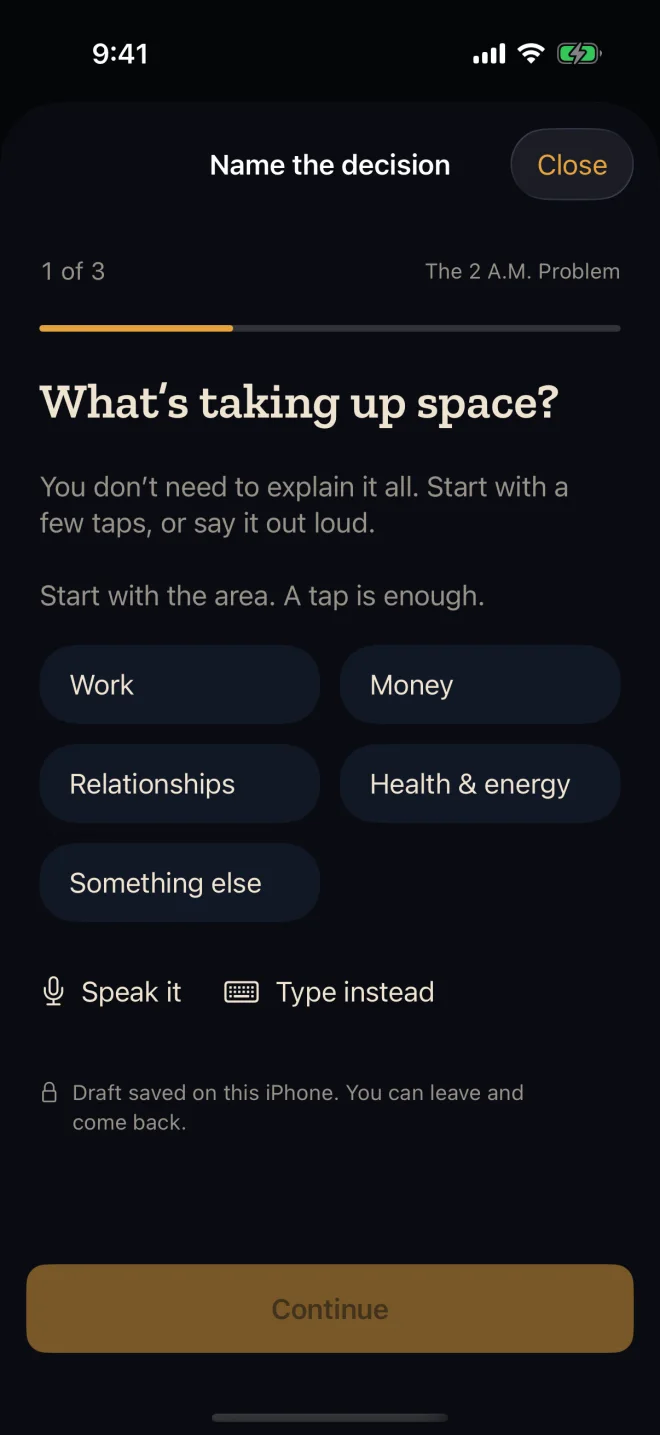
When your head is full, a blank text box asks a lot. Copilot starts with simple choices. Tap what feels closest and take it from there.
This short example shows the idea. No typing, signup, or perfect explanation required.
You don’t need to explain everything. Start with an area.
Actual app screens · Example content
A job change. A difficult conversation. Too many possibilities. Choose the area, tap what fits, and give the decision a place to land.
Turn a big, unresolved question into something you can actually do. Use the book’s tools to inspect your options, then choose a practical next action.
Keep your plan in the logbook. Set a review date. Return to what you thought, what you did, and what happened—so the lesson stays with you.
Ideas are useful when you can reach for them in a real moment. Bring the book’s practical tools into the choices in front of you.
Tools beat motivation.Look at consequences, alternatives, realities, and external factors before you commit.
See the whole choiceName the conditions that need to be true for a decision to work for you.
Know your boundariesPut accessible cash and essential spending side by side to understand your time horizon.
Bring the numbers into view21 audio titles for the moments you’re actually living through. Listen to a perspective, then put it to work in your own life.
When a decision won’t leave you alone.
When the next chapter is a different one.
Set your direction before the day takes over.
Audio library access is purchased separately. The book and app membership are separate offers.
Bring what you’ve been reading and hearing into your day. Book readers can explore the app’s tools. Audio buyers can connect the library they already own.
Open my audio librarySign in to the website with the email you used for your audios.
Sign in with Apple, then choose “Connect my purchases” in your account. Verify your website account to link your audio access.
You don’t need to buy the same audio library again. Book ownership and app membership are separate.
You can begin with the app’s guided choices and practical tools. Reading the book adds context, but it doesn’t need to be your first step. The book is sold separately.
No. The iPhone app starts with guided choices. You can also use voice input or type when you want to add your own words. The example on this page uses taps only.
You remain the decision maker. The tools help you examine the situation, identify what matters, and choose a next action you can review.
Up2U Copilot is being prepared for iPhone release. The iPhone access page will provide the official download when available. Existing audio buyers can use their web library now.
Yes. Up2U Copilot is planned for both iPhone and Android. We’re refining the iPhone experience first, with Android to follow. Store links will appear here when each version is available.
In the app, use Connect my purchases to verify your website purchase account. This lets you link your audio access even when Sign in with Apple uses Hide My Email.
Make room for one next move.
One Copilot. Built around your next move.
iPhone is a trademark of Apple Inc. Android is a trademark of Google LLC. The Android robot is reproduced or modified from work created and shared by Google and used according to terms described in the Creative Commons 3.0 Attribution License.